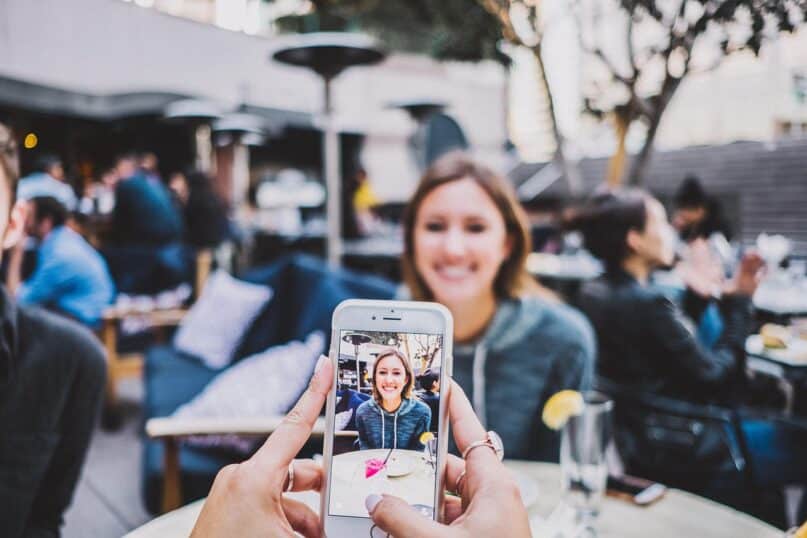
Let’s face it—we grandmothers are memory-keepers. Whether it’s a giggle from a toddler, a birthday cake smash, or a heartfelt hug, we’re the ones reaching for our phones, trying to freeze those little moments in time. But with today’s technology changing so fast, it’s easy to feel overwhelmed. What used to be a simple snapshot now comes with filters, editing tools, storage systems, and even video collages!
If you’re a grandma who wants to take, save, and share better pictures of your loved ones (without pulling your hair out), this guide is for you. Below are the best photo apps every grandmother should have on her phone. Whether you want to preserve old family memories or send your daughter a picture of her child being cheeky with a cookie, there’s something here that will make your photo-taking life easier—and more fun.
1. Google Photos
Best for: Easy storage and sharing
Google Photos is like your smart photo album. It automatically backs up all your photos (so you don’t lose them if your phone misbehaves), and it organizes them by face, date, or even location. Want to find that picture of your grandson dressed as a pirate last Halloween? Type in “Halloween” and there it is!
It also has basic editing features and makes it easy to share albums with your kids and grandkids—no printing or mailing needed.
Why grandmas love it:
- Automatic photo backup.
- Facial recognition makes it easy to find people.
- Effortless sharing with family.
2. Snapseed
Best for: Simple but powerful photo editing
Snapseed is perfect for grandmas who want to improve their photos without learning Photoshop. It offers easy touch-up tools to brighten a photo, remove a shadow, or bring out a smile with a bit more color. You can also use presets (called filters) that make your pictures look professional with just one tap.
Why grandmas love it:
- Clear, simple interface.
- Quick editing for better photos.
- Helps you fix a photo without asking the grandkids.
3. FaceApp
Best for: Silly fun with the grandkids
Want to see what your grandchild would look like with a beard? Or give yourself rainbow hair just for kicks? FaceApp is all about having fun. It’s packed with playful filters that transform faces in funny and surprising ways. It may not be practical, but it’s sure to lead to giggles during sleepovers or video chats.
Why grandmas love it:
- Sparks laughter and bonding.
- Great activity during quiet afternoons.
- A hit with grandkids of all ages.
4. Canva
Best for: Creating cards, collages, and keepsakes
If you love scrapbooking or sending special birthday wishes, Canva is like your digital crafting table. This app helps you design photo collages, greeting cards, invitations, calendars, and even social media graphics. It has plenty of ready-made templates—just pop in your photos and personalize with text.
Why grandmas love it:
- Makes it easy to get creative.
- Beautiful results with very little effort.
- Great for personalized gifts and holiday cards.
5. Pixlr
Best for: Adding fun elements to your photos
Sometimes you want a photo to stand out. Pixlr lets you add borders, stickers, filters, and text to your pictures, giving them an extra special touch. Imagine a photo of your granddaughter framed with flowers and a caption saying, “My sunshine.” It’s sweet, thoughtful, and perfect for sharing.
Why grandmas love it:
- Tons of decorative options.
- User-friendly, even for beginners.
- Adds personality to everyday photos.
6. PhotoScan by Google
Best for: Saving old printed family photos
Remember those fading photo albums from the ‘70s and ‘80s? With PhotoScan, you can turn those paper memories into digital treasures. It uses your phone camera to scan old pictures, removes glare, and saves them neatly. You can even upload them to Google Photos to keep them all in one place.
Why grandmas love it:
- Brings old memories into today’s digital world.
- Keeps photos safe from wear and tear.
- Great way to share family history with younger generations.
7. Camera+ 2
Best for: Grandmas who love the details
If you like playing with focus, lighting, and zoom, Camera+ 2 gives you more control than your regular phone camera. You can take sharp portraits, beautiful landscape shots, or close-ups of your rose garden. It might take a little learning, but once you get the hang of it, the photos are worth it.
Why grandmas love it:
- Excellent quality for serious snapshots.
- Gives your photos a professional touch.
- Ideal for outdoor adventures with the grandkids.
8. 1 Second Everyday
Best for: Making meaningful memory videos
This app invites you to record one second of video every day. After a month or year, it stitches them all together into a sweet video that shows life in motion. If your grandchild lives far away, ask their parents to send you a second each day—you’ll feel like you’re still part of their world.
Why grandmas love it:
- Captures little daily joys.
- Great way to document growth and change.
- Makes a wonderful keepsake.
9. Layout from Instagram
Best for: Creating quick photo collages
Layout makes it easy to combine multiple photos into a single collage. You can arrange them side by side, top to bottom, or in a grid. It’s ideal when you want to showcase an event—like Sunday brunch with all your grandkids in one photo.
Why grandmas love it:
- Very simple drag-and-drop interface.
- Multiple layout options.
- Great for storytelling through photos.
10. CapCut or InShot
Best for: Creating fun family videos
CapCut and InShot are video editing apps that let you take photos and videos, add music, text, transitions, and effects, and turn them into lovely short movies. Whether it’s a baby’s first steps or a backyard water balloon fight, these apps help you turn moments into little masterpieces.
Why grandmas love it:
- Easy to learn.
- Adds music and fun transitions to photo albums.
- Great for holiday greetings or memory reels.
Tips for Tech-Savvy (and Not-So-Tech-Savvy) Grandmas:
- Start with just one app – Try Google Photos or Snapseed first. Once you’re comfortable, explore others at your pace.
- Ask for help – Grandkids love to show off their tech skills. Let them teach you!
- Create memory routines – Maybe every Sunday you send a photo collage to the family, or every birthday you make a short video.
Final Thoughts
You don’t have to be a professional photographer to capture life’s best moments. All you need is a little curiosity and a phone. These apps make it easier to organize, enhance, and share the stories you’re living every day. Whether your photos end up in a digital scrapbook, a birthday card, or your Facebook timeline, what matters most is the love behind the lens.
So go ahead, take that picture of your grandchild hugging the dog or covered in spaghetti sauce. These moments are precious—and now, thanks to a few helpful apps, you can hold onto them forever.
Would you like help picking just two or three of these to try first based on what kind of photos you take most?