

Disclaimer: Devoted Grandma is reader-supported. If you purchase anything through my site, I may receive a small commission (at no cost to you). Thank you.
If you’ve ever opened YouTube and thought, “I don’t even know where to begin,” please know this, you are not behind, and you are not alone. Most people were never taught how to search properly. They were just expected to “figure it out.”
A podcast is simply a recorded talk or conversation. You can listen while resting, cooking, walking, or closing your eyes. Many podcasts are shared on YouTube, which means you don’t need to download anything new or learn a complicated app.
Let’s take this slowly, as if I were right there beside you.
Step 1: Open YouTube
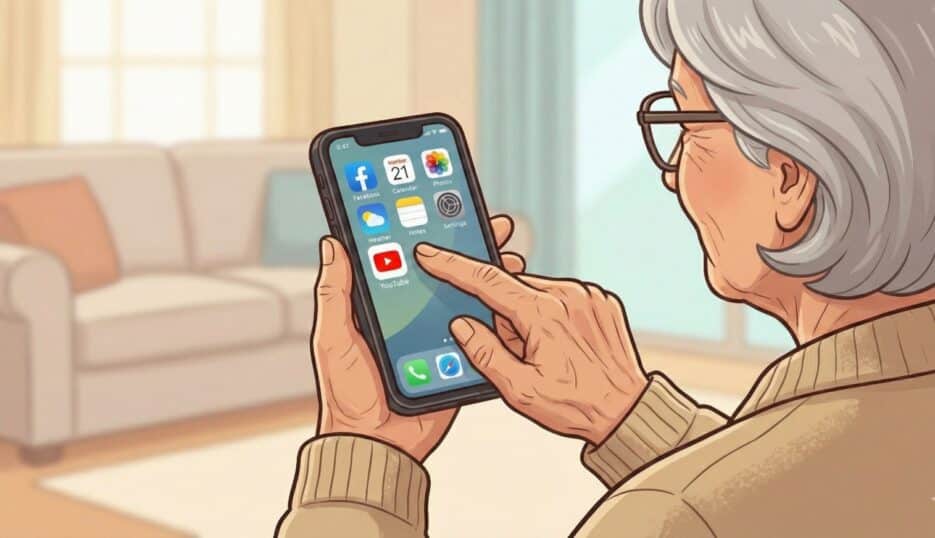
First, you need to be on YouTube.
- On a phone or tablet: Tap the YouTube app (red rectangle with a white triangle).
- On a computer:
- Open your internet browser (Chrome, Safari, Edge—any is fine).
- At the very top, click in the long bar and type: youtube.com
- Press Enter.
You’ll see many pictures and videos. That’s normal. Don’t look at them yet.
Step 2: Click in the Search Bar
Now we focus on just one thing.
At the very top of the screen, there is a long white box.
This is called the search bar.
- Click or tap once inside the search bar.
- A blinking line will appear.
That blinking line means YouTube is listening to you now.
Step 3: Type a Few Simple Words
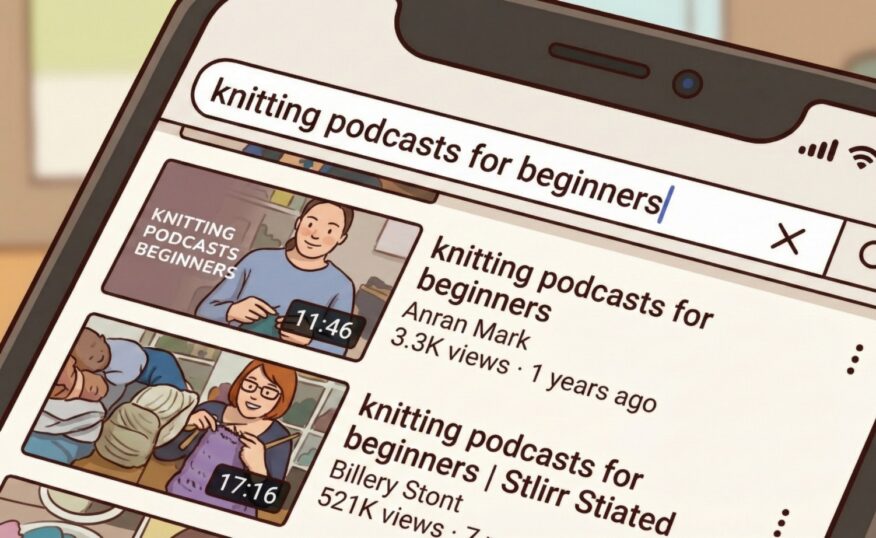
You do not need to type a full sentence.
Think of this like labeling a drawer.
Type only what matters most to you.
Examples by Interest
🍲 Cooking
- cooking podcast
- easy cooking podcast
- home cooking podcast
✈️ Travel (Even From Your Chair)
- travel podcast
- travel stories podcast
- history travel podcast
🛍️ Shopping, Saving, and Simple Living
- Budget podcast
- Frugal Living Podcast
- Simple Living Women Podcast
🙏 Faith and Spiritual Comfort
- daily devotional podcast
- Christian podcast women
- spiritual encouragement podcast
👵 Grandparenting and Family
- grandparenting podcast
- Grandmother’s Advice Podcast
- family relationships podcast
When you finish typing, press Enter on the keyboard or tap the magnifying glass.
Step 4: Understand What You’re Seeing
Now YouTube shows you results.
Here’s what to gently look for:
- Time length:
- 15–30 minutes = good for beginners
- Longer ones are fine later
- Titles with words like:
podcast, episode, conversation, talk - Pictures that feel calm, not loud or flashy
If something looks interesting, click it once. You are just trying it on—like a sweater.
Step 5: Press Play (Only for a Few Minutes)
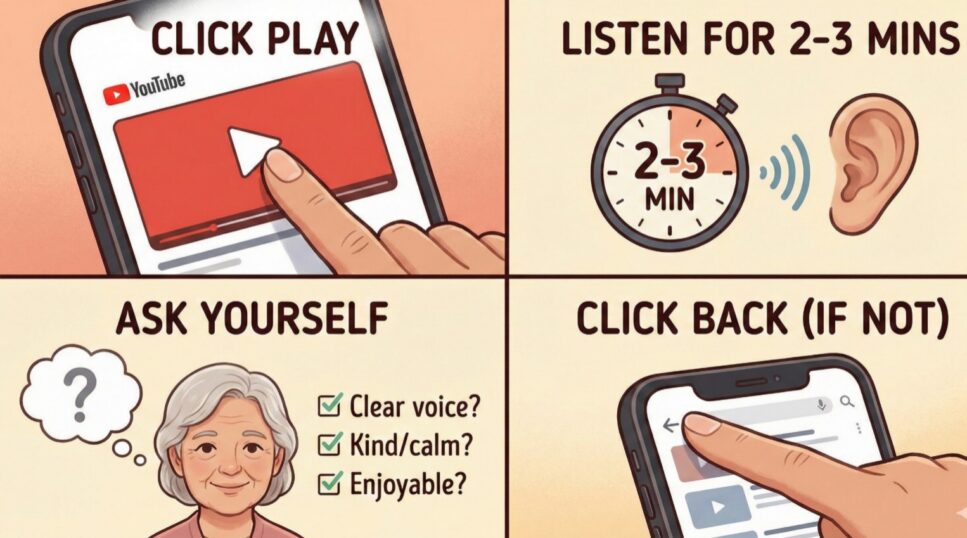
Click the Play button (the triangle).
Listen for 2–3 minutes only.
Ask yourself:
- Can I hear this voice clearly?
- Does it feel kind, calm, or interesting?
- Would I enjoy this while doing something else?
If not, that’s perfectly fine.
Click Back and choose another.
That is not failure, that is good choice.
Step 6: Make Your Search More Specific (Very Helpful)
If there are too many results, add one extra word.
Helpful words to try:
- gentle
- beginner
- calm
- short
- stories
Examples:
- grandparenting podcast gentle
- cooking podcast beginner
- spiritual podcast calm
- travel podcast stories
To do this:
- Click in the search bar again
- Erase the old words
- Type the new ones
- Press Enter
Step 7: Make Listening Easier on Your Body
You are allowed to be comfortable.
- Turn the volume up or down slowly
- Click CC to turn on captions (words on the screen)
- If your eyes are tired, turn the screen face down and just listen
- Headphones can make voices clearer and softer
You are in charge of the pace.
Step 8: Save What You Like (So You Don’t Have to Search Again)
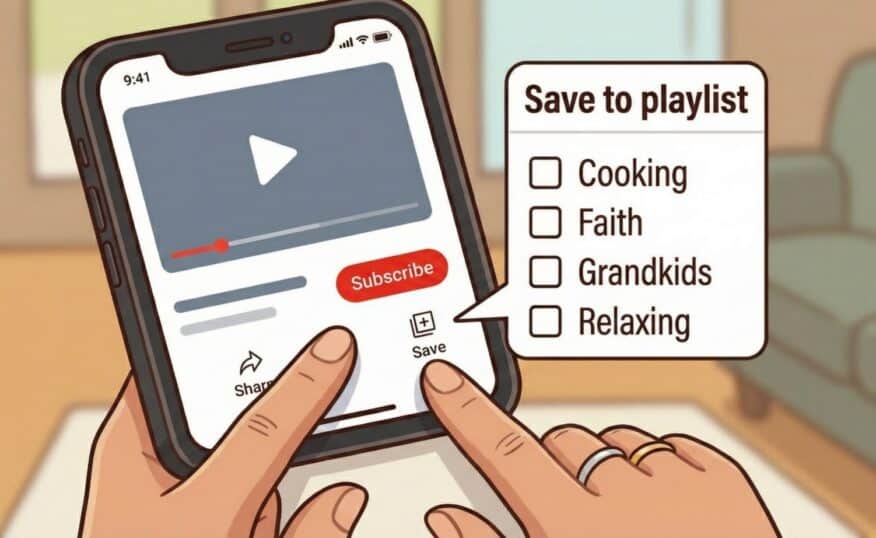
Subscribe
Click Subscribe under the video.
This tells YouTube to remember this podcast for you.
Save
Click Save (the little bookmark).
You can create lists like:
- “Cooking”
- “Faith”
- “Grandkids”
- “Relaxing”
This makes next time much easier.
Try This Today (A Gentle Practice)
- Open YouTube.
- Click in the search bar.
- Type: [your interest] podcast gentle
- Press Enter.
- Click one result and listen for two minutes.
- If you like it, Subscribe or Save.
That’s a complete success.
Key Takeaways
- Always start by clicking in the search bar
- Use short, clear words
- Listen briefly before deciding
- Save favorites so searching gets easier
- You cannot “break” anything by clicking
Safety & Accessibility Notes
- Be cautious with podcasts giving medical or financial advice, always double-check with professionals you trust.
- Avoid podcasts that pressure you to buy something urgently.
- Use captions, larger text, or headphones if needed.
A Grandma Tip 💛
Confidence doesn’t come before learning, it comes from learning. Every search you try makes the next one easier.
Friendly Sign-Off
I hope this guide feels steady and reassuring, like holding someone’s hand the first time through. Take your time, dear one. The right podcast will feel like kind company—and you deserve that comfort.
With warmth and encouragement,
Grandma 🌷


